DIAL Quick Apps
DIAL Quick Apps is a no-code builder for assembling AI agents, MCP tools, and AI models into deployable business applications.

No-Code Application Editor
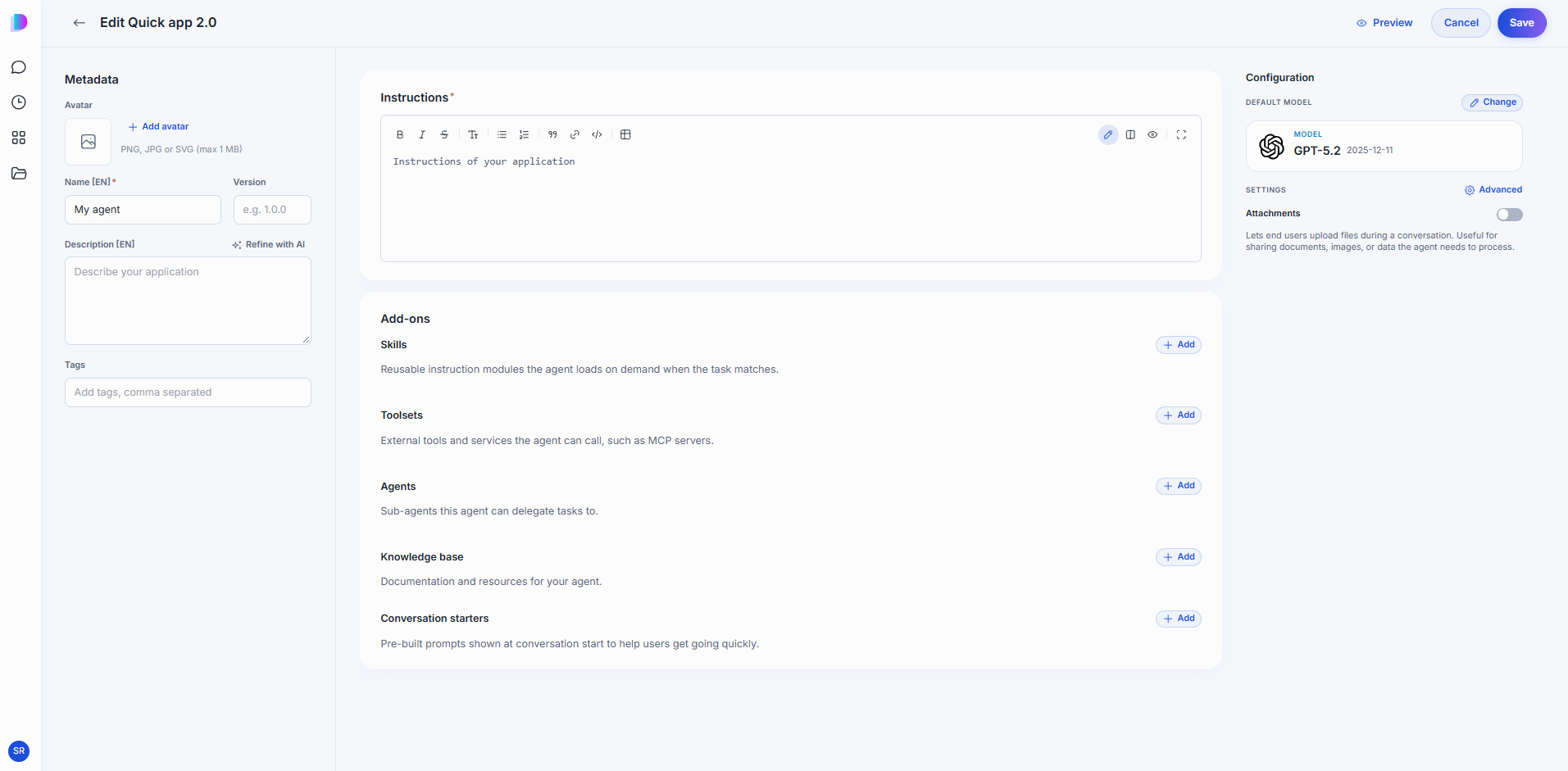
An intuitive UI editor lets both business and technical users build, test, and deploy AI applications without writing code. Everything an app needs sits on one screen: the orchestration AI model and its settings, agents, MCP tools, and skills it can call on, the context it works with, or the buttons users will see in chat.
Configure and test your apps without leaving the editor. Adjust a prompt, add a tool, and the next message on the preview screen shows the difference — no deployment step, no waiting on a developer.

Seamless Extensibility
Start from what your teams have built. The models, apps, agents, MCP tools, and skills in DIAL all go into the next app you make, alongside built-in tools such as DIAL RAG for working through documents and Code Interpreter for running code. Any registered model can take the orchestrator role. Reach extends past DIAL to third-party REST APIs, MCP servers, the open web.
The app you build is an agent in its own right: it exposes OpenAI-compatible API, so other workflows can call it just as it calls anything else. Callers can pass in extra tools with the request, and the agent uses them alongside its own.

Knowledge & Memory
Quick Apps agents draw context from files in DIAL file system, resources published by connected MCP servers, or documents at whitelisted URLs. Content loads only as a task requires it, so large document sets never overload the model's context.

Multi-Agent Orchestration
The orchestrating model picks the AI model, agent, or MCP tool for each task from everything you've made available to the app, with no input needed from the user. You can employ other Quick Apps as agents in your apps that may include additional underlying agentic workflows.
Fallbacks and retries keep a process moving when a step fails or a model goes unavailable. Loops and parallel tool execution handle logic that isn't a straight line. Users can look inside any step taken by agents, check the reasoning behind it, the tools it called, or the numbers it worked out - fostering accountability and trust in AI operations.

Collaboration
Collaborate on apps development by sharing your work with colleagues (read-only or with editing rights) from the DIAL Chat or through the API. Publish your apps to reach a wider audience.
Published apps don't just get used, they get reused. Each one joins the collection a new Quick App can draw on, fostering knowledge exchange and accelerating AI adoption across an organization.

Hosting & Deployment
An app built in Quick Apps runs on DIAL infrastructure from the moment it's created. There's no server to provision, no scaling to plan, no file storage to configure, and no deployment to schedule with another team.
No-code agent builder
Code interpreter
Image recognition
MCP integration
DIAL RAG Integration
Web search