DIAL Loop
A production runtime for harness-based agents. Loop takes the project you built locally with Claude Code, OpenCode or Codex and turns it into a use case many users can run safely, anywhere from one team to your whole organization.

Bring Your Own Project
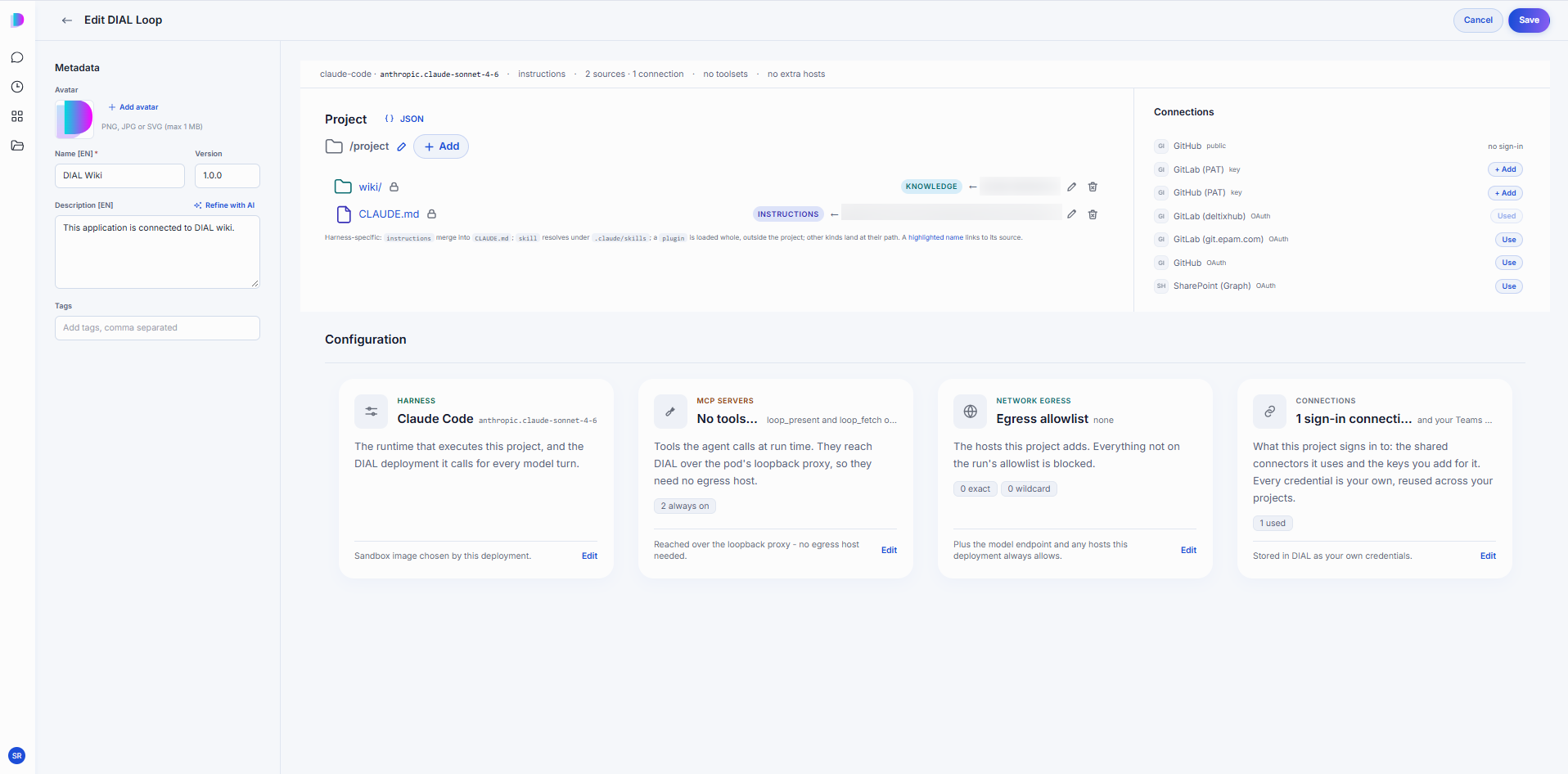
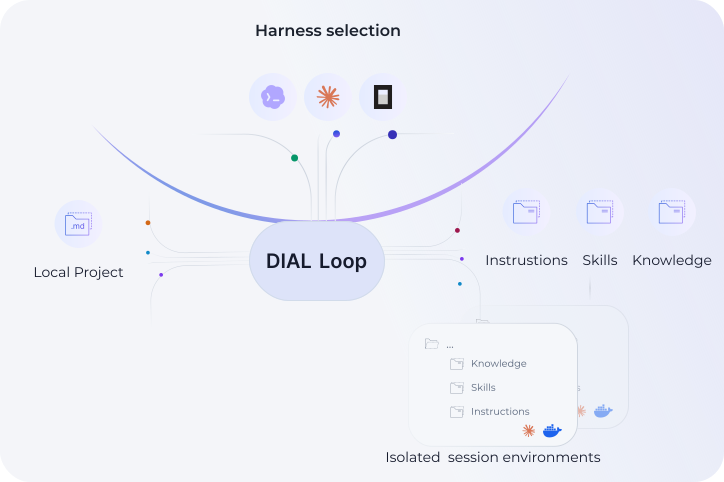
The project you built locally becomes the production agent. Your instructions, skills, knowledge and context files are all reused exactly as they are. There is nothing to rebuild, and no code to write inside DIAL.
Loop turns that project into a use case your chosen audience can run in your own enterprise environment. It works the same way for an early prototype and a mature, complex use case. Nothing about the project has to change to go from one developer to an entire team.

Any Harness, and Swap It Later
DIAL Loop supports Claude Code, OpenCode and Codex through one universal interface for setup and execution. Changing the harness under a finished agent is just a config change, and that includes swapping between vendors.
Try several harnesses and keep whichever performs best for your use case right now. If a better one comes along later, you swap it in without rebuilding anything.

Isolated “Local” Environments
Every run gets its own container. DIAL copies your files in, rebuilds the folder structure the harness expects, and starts the harness inside it. The harness brings its own built-in skills. Your setup adds to that: custom skills, knowledge files, and the calling user's request as starting context.
Isolation means a powerful agent cannot reach another user's session or the wider environment — which is what makes a harness-driven agent safe to hand to many people at once.

Sessions You Can Resume or Fork
Every run is saved as a session, the same way a chat keeps its conversations. Each session holds the plan, the steps taken and the results, so the history stays auditable.
Users can return to any session and pick up where they left off. They can also fork one by editing a prompt partway through, which branches the run from that point instead of starting over.

Part of the Ecosystem
Loop agents behave like every other agent in your DIAL deployment. They connect to in-house data and external tools, rely on DIAL MCPs and knowledge bases in the same way. The same access control, analytics, cost tracking, and guardrails apply to them as to everything else across DIAL.
They also chain. Any agent in DIAL can call another as a tool, so a Loop agent can call a Quick App, a Quick App can call a Loop agent, and either can be one step inside something larger.

Reach Your Team Wherever They Work
Put Loop agents where your team already works: the chat experience in DIAL Productivity Hub, your own software platform and agentic workflows, or a tool your organization already runs, such as MS Teams.

Loop or Quick Apps?
Both products build agents, but they plan differently. Quick Apps suit tasks a general model can handle in one pass: analyze the inputs, make a plan, execute, and present results. Loop uses the harness's own planning instead, which builds more complex plans, checks its own work, and adapts as it goes.
A rule of thumb: if a competent person could finish the task in one sitting given clear instructions, start with Quick Apps. If it needs investigation and revision, reach for Loop.
No-code editor
Connect your harness
Connect your MCP
Visibility into all actions